Serial & Lot Tracking
Track individual items and batches throughout their lifecycle.
Overview
Zora Tech supports two types of advanced inventory tracking:
- Serial Number Tracking - Individual item identification
- Lot/Batch Tracking - Batch management with expiration dates
Serial Number Tracking
What is Serial Tracking?
Serial number tracking assigns a unique identifier to each individual item. This enables complete traceability from receiving through shipping.
When to Use Serial Tracking
Use serial tracking for:
- High-value items (electronics, equipment)
- Warranty tracking (appliances, tools)
- Regulated items (medical devices, pharmaceuticals)
- Asset management (company-owned equipment)
Serial Number Lifecycle
Serial numbers transition through defined statuses as items move through the warehouse:
graph LR
    A[EXPECTED] --> B[RECEIVED]
    B --> C[IN_INVENTORY]
    C --> D[ALLOCATED]
    D --> E[PICKED]
    E --> F[SHIPPED]

    D -.Cancel.-> C
    E -.Return.-> C

    style A fill:#e3f2fd
    style B fill:#e3f2fd
    style C fill:#e8f5e9
    style D fill:#fff3e0
    style E fill:#fff3e0
    style F fill:#f3e5f5
Status Definitions:
- EXPECTED - Serial number created when receiving order is planned (ASN)
- RECEIVED - Item physically received at warehouse, may be in staging
- IN_INVENTORY - Item stored in inventory location, available for orders
- ALLOCATED - Reserved for specific customer order, waiting to be picked
- PICKED - Item picked from inventory and staged for packing
- SHIPPED - Item dispatched with shipment, out of warehouse custody
Serial Number Workflow
Receiving: 1. Receive product as normal 2. System prompts for serial numbers 3. Scan or enter each serial number 4. One serial per individual item 5. Status: EXPECTED → RECEIVED → IN_INVENTORY (after putaway)
Order Fulfillment: 1. Order created and allocated 2. Serial numbers Status: IN_INVENTORY → ALLOCATED 3. Picking workflow shows which serials to pick 4. Scan specific serial numbers during picking 5. Status: ALLOCATED → PICKED 6. Items staged for packing
Shipping: 1. Pack and create shipment 2. Dispatch shipment 3. Serial numbers Status: PICKED → SHIPPED 4. Complete audit trail maintained
Best Practices
- ✅ Scan serial numbers when available
- ✅ Verify serial number accuracy
- ✅ One serial per physical item
- ✅ Cannot modify serials after creation
- ❌ Don't reuse serial numbers
- ❌ Don't skip serial entry if required
Lot/Batch Tracking
What is Lot Tracking?
Lot tracking manages groups of items produced or received together. Each lot has an identifier and optional expiration date.
When to Use Lot Tracking
Use lot tracking for:
- Perishable goods (food, medicine)
- Batch-manufactured items (chemicals, supplements)
- Expiration date management (FEFO picking)
- Recall management (identify affected batches)
Key Differences: Serial vs. Lot Tracking
| Feature | Serial Tracking | Lot Tracking |
|---|---|---|
| Quantity per entry | Always 1 | Any positive number |
| Uniqueness | Must be unique per product | Can be reused across receipts |
| Matching | Exact match | Case-insensitive |
| Expiration dates | Not applicable | Optional per lot |
Lot Number Workflow
Receiving: 1. Receive product as normal 2. When the product has lot tracking enabled, the system prompts for lot information 3. Enter the lot number (required for lot-tracked products) 4. Enter expiration date (optional but recommended for perishable goods) 5. Enter the quantity for this lot 6. Lot information propagates to inventory and putaway tasks automatically
Receiving Multiple Lots: You can receive multiple lots of the same product on a single receiving order:
- Enter the first lot number and quantity
- Click Add Another Lot to add a second lot line
- Each lot line has its own lot number, expiration date, and quantity
- The total quantity across all lots must match the expected receiving quantity
Mixed Product Receiving: Receiving orders can contain a mix of lot-tracked and non-lot-tracked products. The system only requires lot information for products where lot tracking is enabled - non-lot-tracked products on the same order follow the standard receiving workflow.
Lot Number Matching
Lot numbers are matched case-insensitively. "LOT-2025A" and "lot-2025a" are treated as the same lot. The system stores the original case as entered for display purposes.
Picking (FEFO - First Expired, First Out): 1. System prioritizes lots by expiration date (earliest first) 2. Lots without expiration dates are picked after lots with dates 3. When multiple lots share the same expiration, the system falls back to FIFO ordering 4. Prevents expired items from being shipped
Best Practices
- Always enter expiration dates for perishable or time-sensitive goods
- Use manufacturer lot numbers for consistency and traceability
- Update lots immediately upon receipt
- Monitor expiring lots regularly using lot inventory reports
- Use FEFO allocation strategy at the warehouse level for automatic expiration-based picking
- Don't mix lots in the same location when possible
- Don't ship expired lots
Serial Number Lookup
Finding Serial Numbers
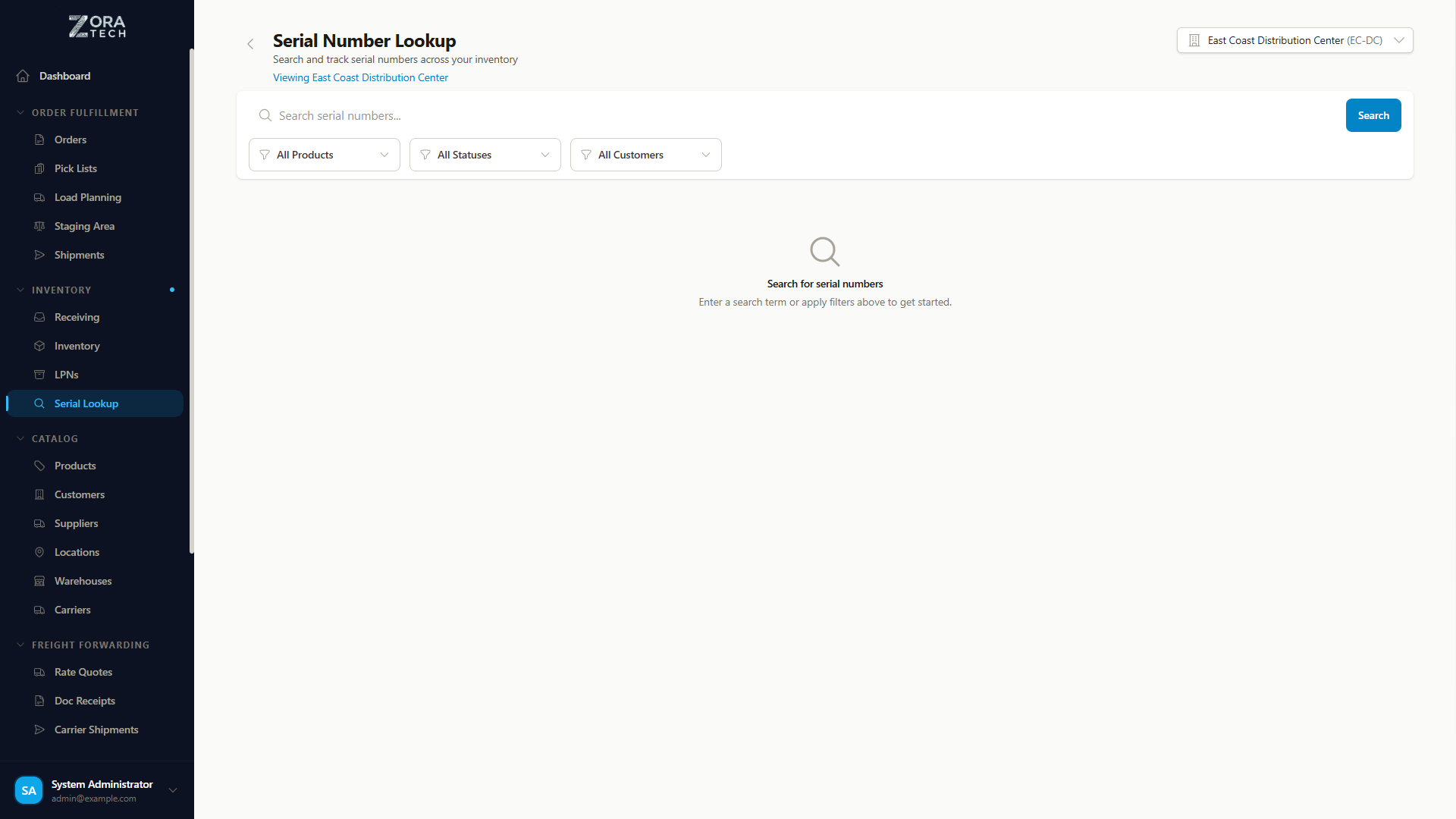
The Serial Number Lookup feature provides centralized searching and tracking of all serial numbers in your system.
Access Serial Number Lookup:
- Navigate to Products in sidebar
- Click Serial Number Lookup
- Search and filter interface opens
Key Features:
- Search by Serial Number - Find by partial or complete number
- Filter by Product - Narrow to specific products
- Filter by Status - Show only EXPECTED, IN_INVENTORY, ALLOCATED, PICKED, or SHIPPED serials
- View Details - Click any serial to see complete information and history
- Track Location - See current location and warehouse
- Movement History - View complete audit trail of movements
Mobile Optimized: - Barcode scanning for quick lookup - Touch-optimized interface - Accessible from warehouse floor
Quick Serial Lookup
Use Serial Number Lookup to instantly locate items, verify status, and track items through your warehouse from receiving to shipping.
Learn More: Serial Number Lookup Guide
Configuration
Enable Serial Tracking (Per Product)
- Navigate to Products
- Edit product
- Enable "Serial Tracked" checkbox
- Save product
Now all receiving/picking will require serial numbers.
Enable Lot Tracking (Per Product)
- Navigate to Products
- Edit product
- Enable "Lot Tracked" checkbox
- Save product
Now all receiving/picking will require lot information.
Cannot Enable Both
A product can be serial-tracked OR lot-tracked, but not both. Choose the tracking method that best suits the product type.
Reporting
Serial Number Reports
- Serial number inventory
- Serial number location
- Serial number history (receive → ship)
Lot Number Reports
- Lot inventory by expiration
- Expiring lots report
- Lot movement history
Related Guides
- Serial Number Lookup - Find and track serial numbers
- Receiving Operations - Serial/lot entry during receiving
- Order Processing - Serial/lot picking
- Packing & Shipping - Serial number shipping
- Bulk Upload - Import serial numbers via CSV
Last Updated: February 2026